Built for third party inspection agencies
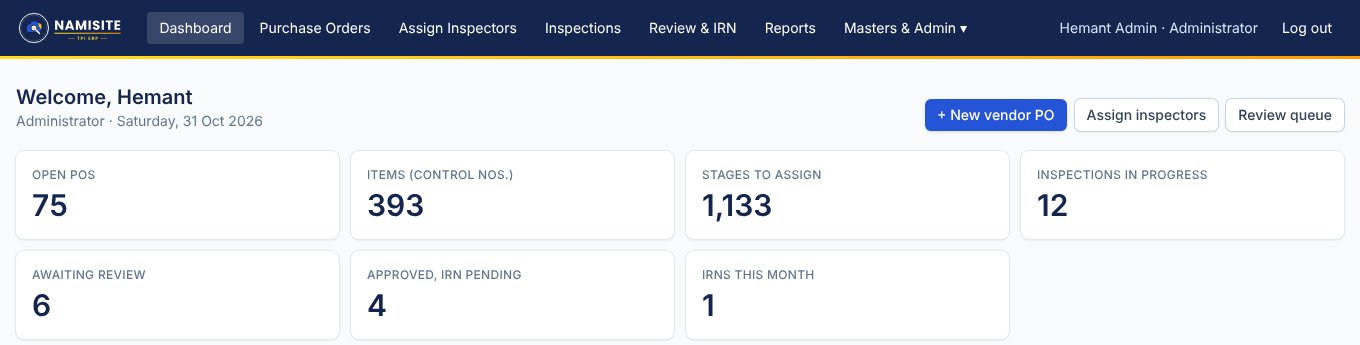
TPI ERP runs your whole inspection workflow: POs and control numbers, inspector visits, site reports with photos, technical review, IR and IRN, and a portal where your clients follow their own orders.
6
roles, each with its own screen
1-click
IR & IRN as A4 PDF
0
passwords to remember
24×7
client self-service portal
Features
Replace spreadsheets, WhatsApp photos and emailed Word reports with one system your coordinators, inspectors, technical heads and clients all use.
Create vendor POs with automatic numbers, add items with control numbers and pick the inspection stages for each item. Quantities are checked against the PO.
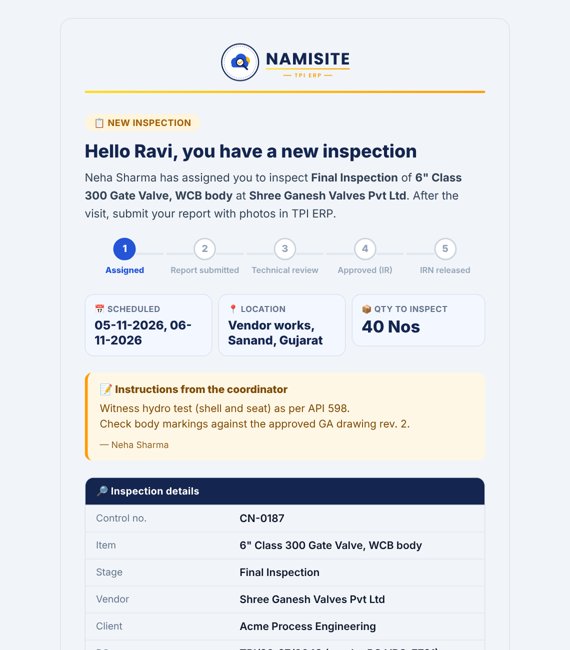
Coordinators assign an inspector to any item stage with location, dates, quantity and instructions. The inspector gets a branded email at once.
Inspectors see only their own visits and submit offered / accepted / rejected quantities, observations and photos straight from the phone camera.
Technical heads approve, hold or reject. Approval issues the IR number; then release the Inspection Release Note. Both print as clean A4 PDFs.
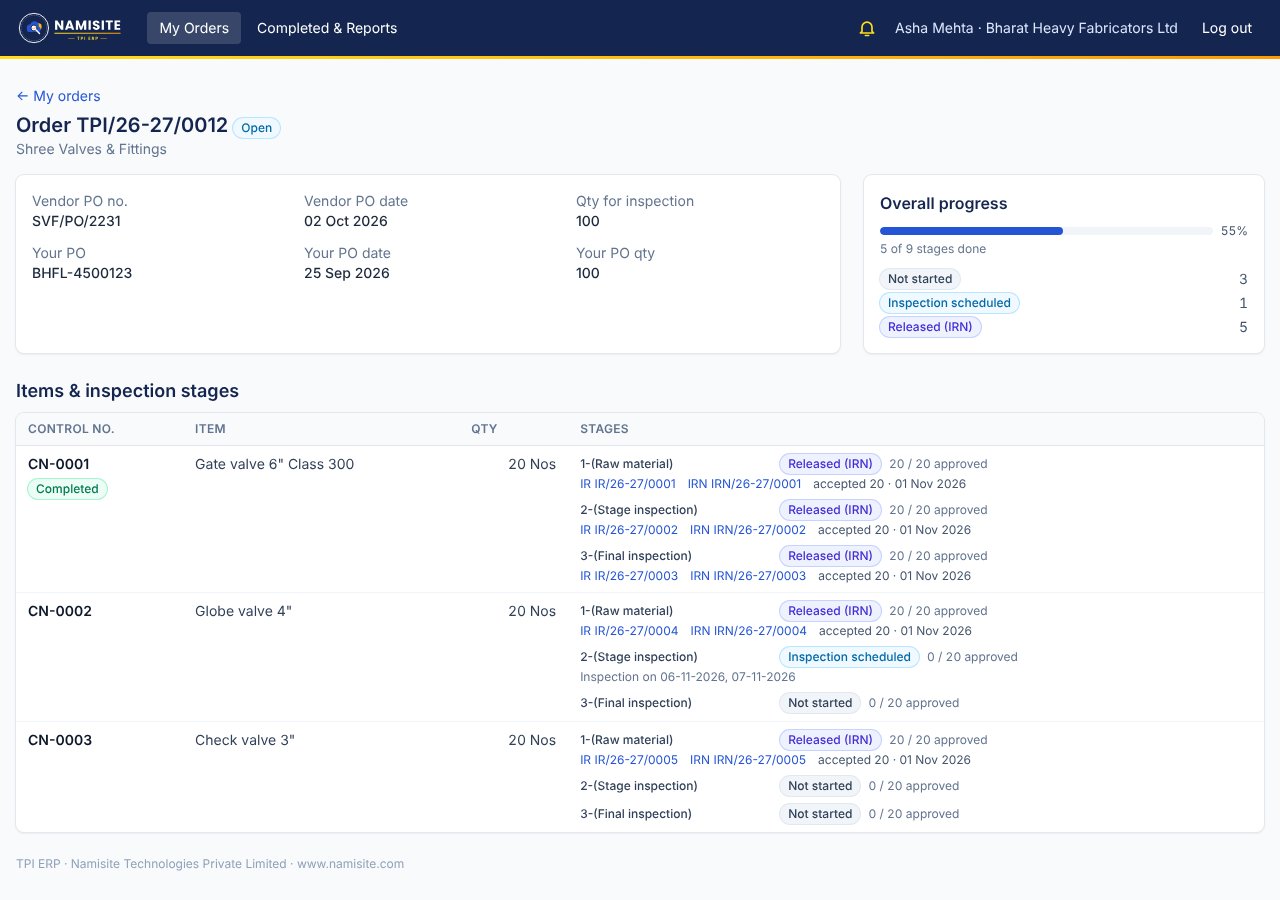
Give each client a login to follow their own orders stage by stage and download approved IR and IRN — fewer “what’s the status?” calls.
Stage-wise status with filters by vendor, client, date and status. Export to Excel (CSV) or print in one click.
Every step sends a clear email with a progress tracker: assigned, submitted, approved, on hold, rejected, IRN released.
No passwords to leak: sign-in with a 6-digit email code. Roles for admin, coordinator, inspector, technical head, viewer and customer.
How it works
Vendor PO
PO number auto-generated
Items & stages
Control no. per item
Assign inspector
Email with all details
Site report + photos
From the phone
Technical review
IR no. on approval
IRN released
Client notified
Customer portal
Each client gets their own read-only login. They see open and closed orders with a progress bar, every item stage with its inspection dates, and can print approved IR and IRN themselves. When an IRN is released, they get an email.
Pricing
Every plan starts with a 14-day free trial. Prices in INR, GST extra.
For small TPI teams getting off spreadsheets
₹12,999 / month
₹1,29,990 / year
2 months free vs monthly — ₹10,832.50/month
+ GST · billed monthly · min. 3 months
+ ₹10,000 one-time setup (non-refundable)
For growing agencies that want a customer portal
₹18,999 / month
₹1,89,990 / year
2 months free vs monthly — ₹15,832.50/month
+ GST · billed monthly · min. 3 months
+ ₹10,000 one-time setup (non-refundable)
For large agencies with many inspectors and clients
₹24,999 / month
₹2,49,990 / year
2 months free vs monthly — ₹20,832.50/month
+ GST · billed monthly · min. 3 months
+ ₹10,000 one-time setup (non-refundable)
Need more users, a dedicated server or data migration from your old system? Ask for a custom quote.
Please note
FAQ
No. TPI ERP runs in the browser on computers and phones. Your workspace gets its own address, e.g. yourcompany-tpierp.namisite.com, ready a minute after sign-up.
A few days before the trial ends we email the invoice for the plan you picked. Pay by UPI or bank transfer and you continue without interruption. Nothing is charged automatically, and if you do not continue, your workspace becomes read-only — your data is not deleted.
A one-time setup fee of ₹10,000 is charged extra on any plan and is non-refundable. The minimum subscription period on any plan is 3 months. Any specific add-ins for modules, changes, or AI model adoption are charged extra, and are implemented on the basis of a shared proposal and a signed agreement. Plan prices are plus GST.
Yes. Every company has its own workspace with its own tables and its own file storage. Enterprise plans can have a dedicated database.
Yes. We have imported vendor POs, items, stages, reports and photos from older TPI systems. Ask us for a migration quote.
Any time. Ask for an upgrade from the Subscription page inside TPI ERP; new limits apply as soon as we confirm.
Prices are shown without GST. GST at 18% is added on the tax invoice. You can add your GSTIN for input credit.
Talk to us
Book a 30-minute online demo, ask for a quote for more users, or get help moving data from your current system. We reply within one working day.